Install Sonic PI
winget install sonicpi.sonicpi

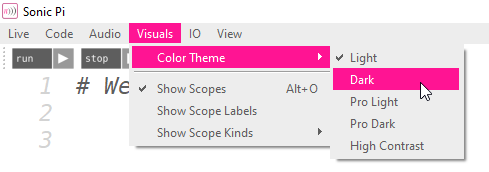
Change skin
Note Numbering
Cheatsheet
Play a note
use_bpm 100
# this is a comment
play 50
sleep 1
play :C3
sleep 1
play_pattern_timed [:c2, :d2, :e2, :d2], [0.5, 0.25, 0.75, 0.5]

Loop
live_loop :drums do
  sample :drum_heavy_kick
  sleep 1
end

2.times do
  play_pattern_timed [:E5, :Eb5], [0.25]
end
play_pattern_timed [:e5, :b4, :d5, :c5], [0.25]
play :a4
sleep 1
Synths and options

use_synth :fm
use_transpose 0
use_octave 0

play :c, attack: 1, decay: 0, sustain: 0, release: 1, amp: 0.5, pan: rrand(-0.5,0.5)
Samples and options
sample :bd_haus, amp: 0.5
sleep 1
sample :drum_cymbal_open, attack: 0.01, sustain: 0, release: 0.1
sleep 1
live_loop :amen_break do
  sample :loop_amen, beat_stretch: 2, rate: -1
  sleep 2
end
Randomization
rrand(60, 110)

if one_in(6)
  # do something
else
  # do something else
end

sleep [0, 1, 2].choose
play [:c, :e, :g].choose
FX
with_fx :reverb, mix: 0.5 do
  # do something
end
Scales and chords
scale(:c2, :major) # ring of :c2, :d2, :e2, :f2, :g2, :a2, :b2 chord(:c2, :major, , num_octaves: 2) # ring of :c2, :e2, :g2 :c3, :e3, :g3


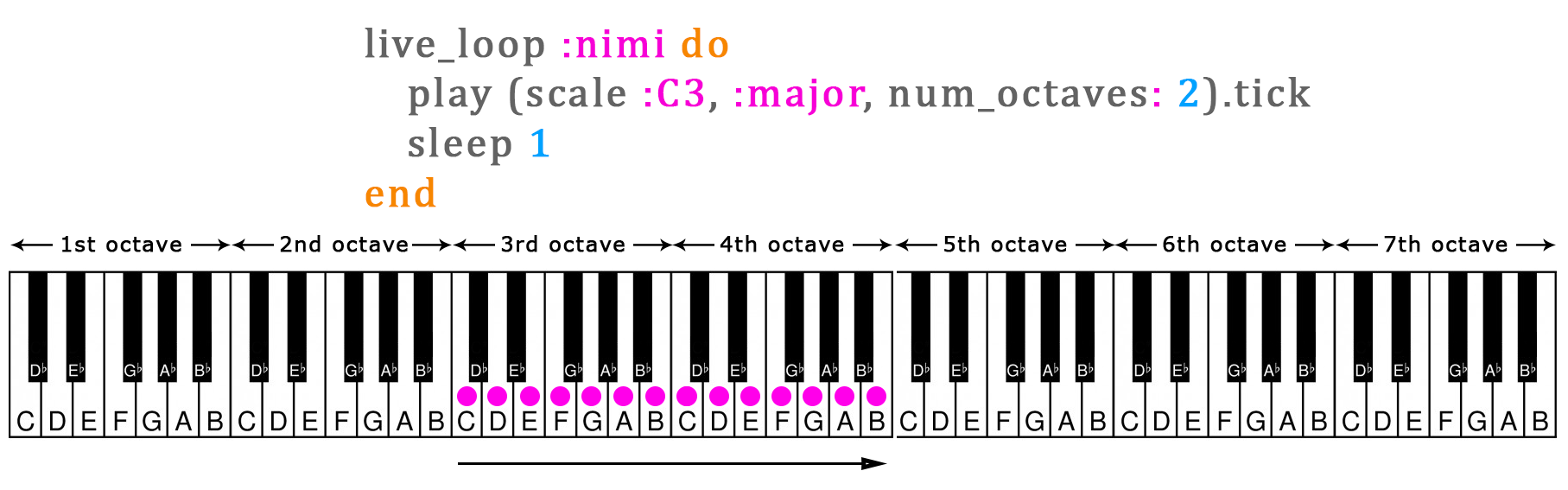

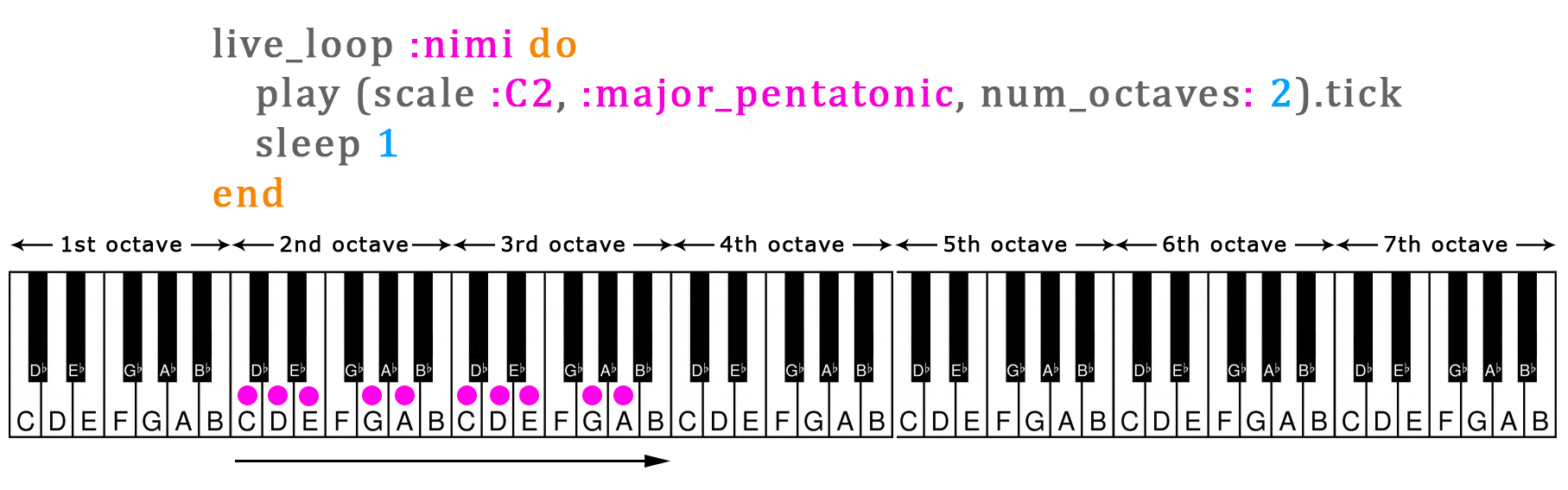
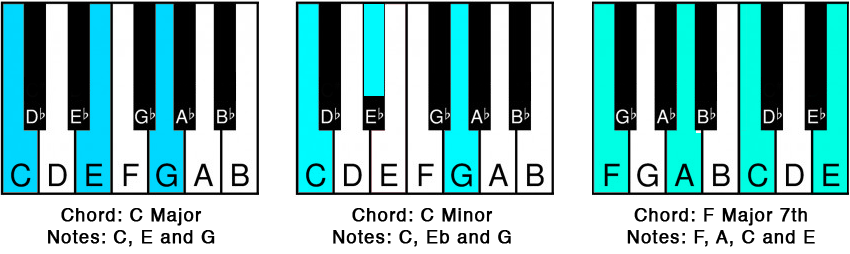
Tick, ring and variables
play scale(:e3, :minor_pentatonic).tick, release: 0.1

play [:c, :e, :d, :f].ring.tick

r = [0.25, 0.25, 0.5, 1].choose
play chord(:c, :minor).choose, attack: 0, release: r
sleep r

chords = [chord(:C, :minor7), chord(:Ab, :major7)].ring # a ring of chords
c = chords.tick # save next chord to a variable 'c'
c[0] # get the first note of the chord
Other
If your code is getting slow, try use_debug false in the beginning of your code. This reduces the log messages Sonic Pi generates and can speed up the code.